Voice banking: make a voice like yours from a short recording

If your voice may change because of ALS, head and neck cancer, Parkinson's or surgery, Dawn can build a voice like yours from about eight seconds of speech. It's made on your iPhone or iPad and the recording stays there.

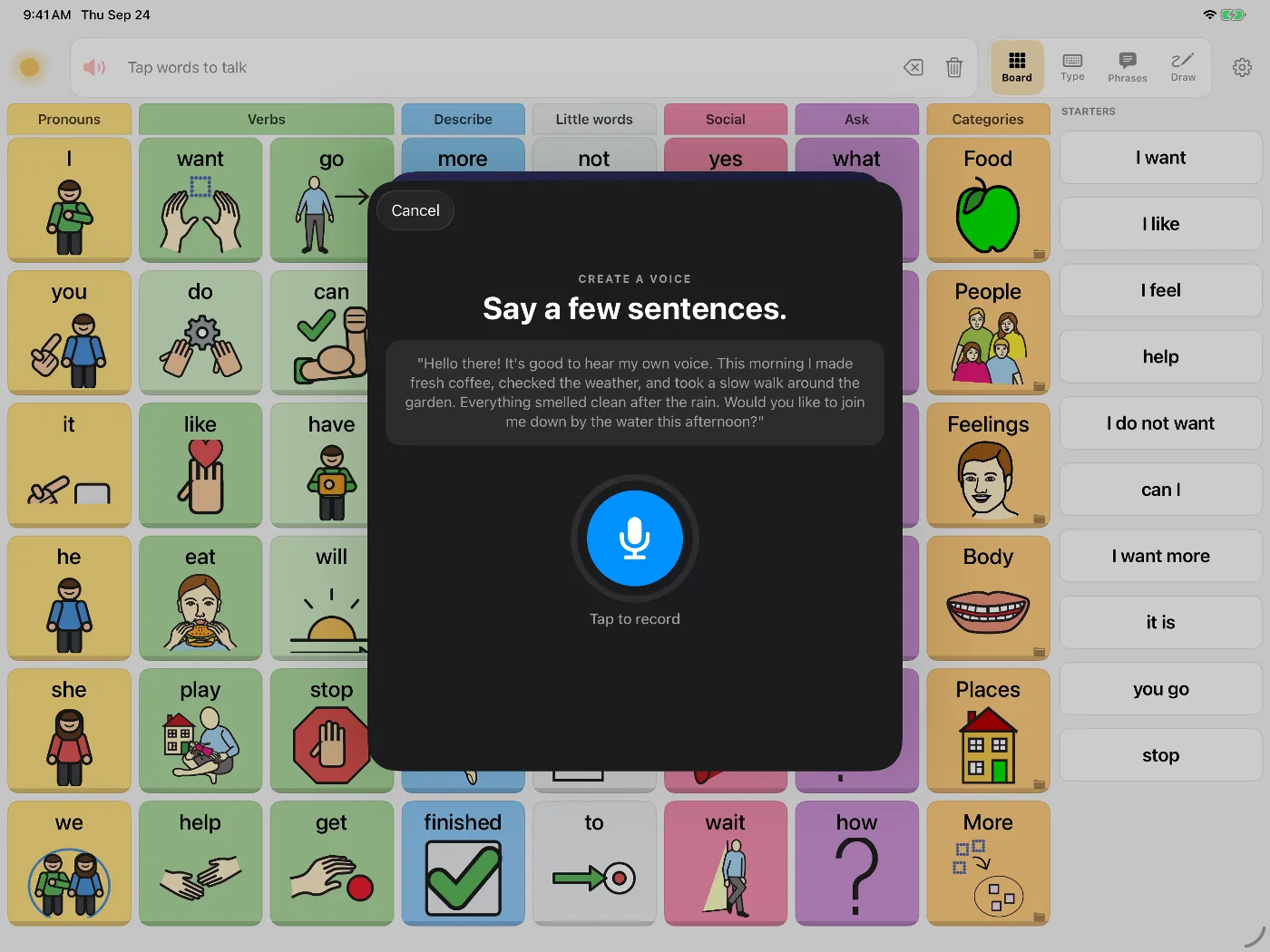
Dawn's Create a voice screen on iPad: 'Say a few sentences.' above a short passage to read and a Tap to record button

Voice banking means recording your voice while you can, so a communication device can later speak in a voice close to it. In Dawn you read a short passage for about eight seconds, and the app builds the voice on your iPhone or iPad. The voice is synthetic: it's modelled on your recording, not a copy of it.

How to make a voice

  1. Open Settings, then Voice, then Create a personal voice.
  2. Read the passage on screen in your normal speaking voice. About eight seconds is enough; you can go up to thirty.
  3. Wait about half a minute while Dawn builds the voice on the device.
  4. Type something and listen. If you like it, it becomes the voice for everything Dawn says.

If you don't like the result

Dawn cleans the audio and uses the clearest part of the take. If the voice still isn't right, Voice Studio can compare your recording with its 900+ built-in voices and list the closest ones. You can make any of them higher, lower, younger or older, or blend two voices.
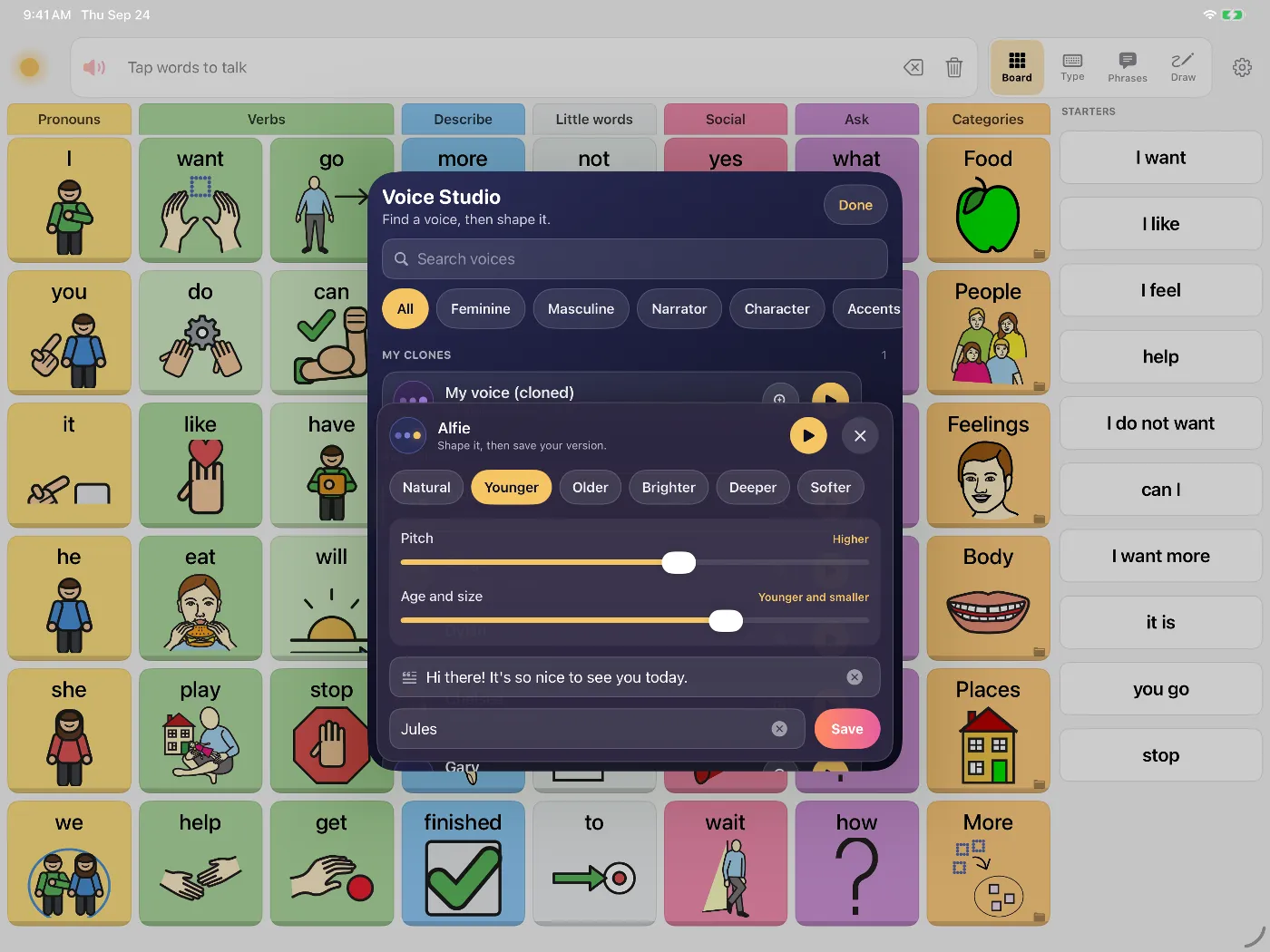
Dawn's Voice Studio on iPad, shaping a voice with Pitch and Age sliders and presets such as Younger, Older, Brighter and Deeper
Voice Studio shapes any voice by pitch and age, and can find the built-in voices nearest to a recording.

Recorded phrases

A synthetic voice can say anything you type but won't sound exactly like you saying one particular thing. Dawn also has message banking for recording whole phrases, like a nickname or "I love you", which play back as recorded.

Where the recording is stored

On your iPhone or iPad. Dawn builds the voice on the device and doesn't upload the recording or the voice.

Who this is for

  • People with ALS or MND, who are often advised to bank their voice early.
  • People facing surgery for head and neck cancer, including laryngectomy, who need to record before surgery.
  • People with Parkinson's or MS whose voice is getting quieter or less clear.
  • Anyone with a condition that may affect speech.

Questions people ask

How long does it take to make a voice?

Reading for about eight seconds is enough, and Dawn builds the voice on the device in about half a minute. You can record up to thirty seconds, and Dawn picks the strongest stretch automatically.

My voice is already changing. Is it too late?

Try recording your current voice and listen to the result. Dawn cleans up the recording before it builds the voice. If the result doesn't sound right, Voice Studio can compare your recording with its 900+ built-in voices and show the ones nearest to yours, which you can then adjust by pitch and age.

Is it the same as Apple's Personal Voice?

No. Personal Voice is Apple's own feature, set up in the iPhone's Accessibility settings by reading a set of phrases. Dawn doesn't use it. Dawn's personal voice is made inside the app from a short recording, and speaks everywhere Dawn does: the board, typing, phrases and the whiteboard. Our guide to ways to keep your voice compares the options.

Can I make a voice from a family member?

Only with that person's permission. Some people choose a sibling or parent whose voice is close to theirs. For a child, a parent or guardian decides.

Where is my recording stored?

On the iPhone or iPad. Dawn has no account and doesn't upload recordings or voices; they're only copied off the device if you export a backup.

Try Dawn on iPhone or iPad

Symbols, typing and saved phrases, spoken in a natural voice. Dawn can also build a voice from about eight seconds of your own speech.

Requires iOS 17 or later.