AAC after a stroke: for aphasia and slurred speech

After a stroke, someone may struggle to find words, or say a different word from the one they meant. Pictures, saved phrases and typing that speaks aloud give them another way to get a message across.

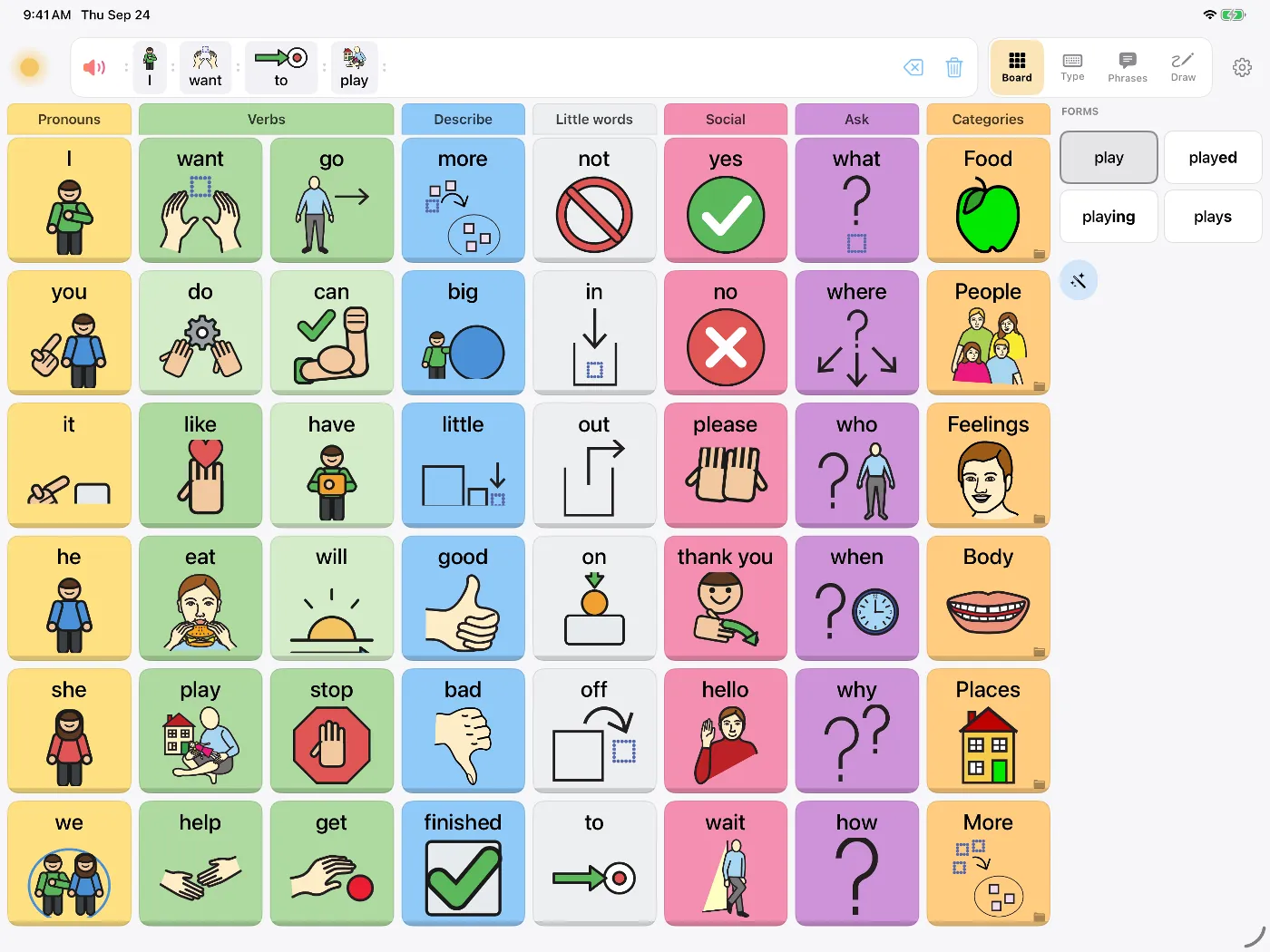
Dawn's symbol board on iPad with columns of picture buttons such as I, want, go, help and yes

Aphasia is common after a stroke. Across studies, about a third of people who have a stroke have aphasia in the early weeks,1 and about 2 million people in the United States are living with it.2 Slurred speech, called dysarthria, is even more common after some strokes.3

AAC (augmentative and alternative communication) means any way of communicating that adds to or stands in for speech. For someone after a stroke, it can be as simple as pointing to "yes" or a picture of a cup, or as full as typing a sentence that's spoken aloud.

Aphasia and slurred speech need different help

  • AphasiaA person with aphasia may know what they mean but can't find the word, says a different word, or can't follow long sentences. Reading and writing are often affected too, so typing may be hard. Pictures, short saved phrases and yes/no choices are options when typing is hard.
  • Dysarthria (slurred speech)Weak or uncoordinated muscles make speech slurred or quiet. If reading and spelling are unaffected, typing with word prediction can be quick.

Studies of tablet-based AAC for people with aphasia are small and varied, but together they suggest these devices can help people communicate.4 AAC can be used during speech therapy as well as after it.5

How Dawn can help

  • Fixed word positionsCommon words like I, want, help, no and more stay in the same cells as more words are added. You can start with fewer words shown.
  • Saved phrases"I know what I want to say, give me a moment." "Please ask me yes or no questions." "I'm in pain." One tap each.
  • Personal photos as buttonsIf symbols are hard to recognize, use photos of familiar people and places, like a grandchild.
  • Write it by handSome people can write a word they can't say. The whiteboard reads handwriting aloud.
  • Typing with word predictionA large keyboard with word prediction, for people with dysarthria or as spelling returns.
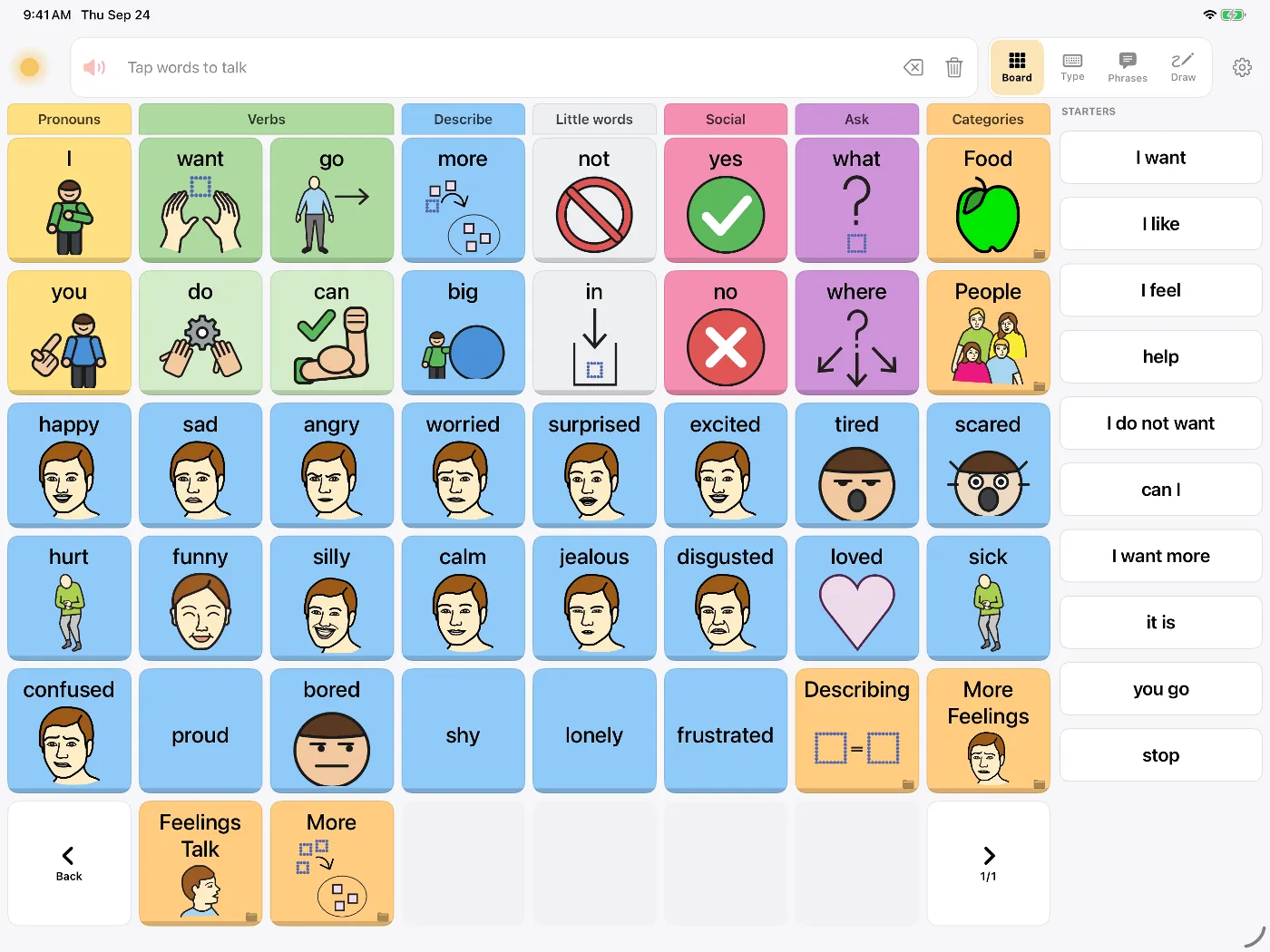
Dawn's Feelings board on iPad with picture buttons such as happy, sad, angry, worried, tired and confused
The Feelings page: words to point to when saying them is hard.

For partners and carers

Things that help: slow down, keep sentences short, ask one question at a time, and give plenty of time for an answer. Offering choices ("tea or coffee?") is easier than an open question. Our guide on talking with someone who uses AAC has more.

When you set up the app, choose words and phrases from their real life: family names, favourite foods, the things they'd want to tell a nurse. If you point to a word on the board as you say it, they see where words are and how the board is used.
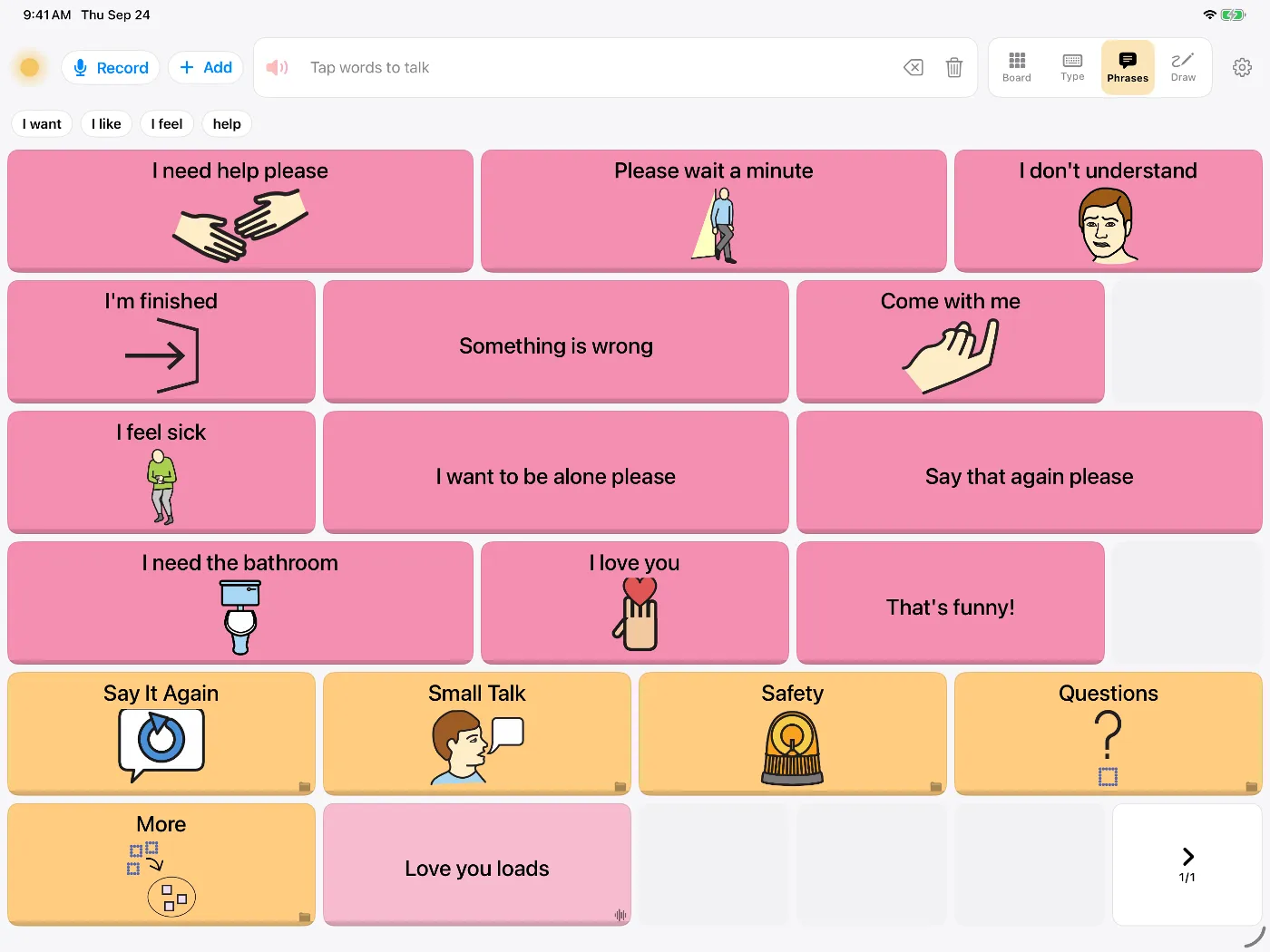
Dawn's Phrases tab with buttons such as 'I need help please', 'I don't understand' and 'Say that again please'
Saved phrases for asking someone to wait, or to say something again.

A speech and language therapist can assess the person's language and help decide which words and phrases to put on the board. If you don't have one yet, ask the stroke team for a referral.

Questions people ask

Will using an app stop speech coming back?

Speech and language therapy helps people with aphasia.6 AAC can be used during therapy as a way to communicate, and may also help with language practice.5 Keep going with therapy, and ask the therapist how the app can fit into it.

They can't spell any more. Is typing any use?

Maybe not at first. Aphasia often affects reading and writing as well as speech. Dawn also has a picture board, saved phrases and a whiteboard, and some people start typing again as they recover.

What's the difference between aphasia and slurred speech?

Aphasia is a language problem: finding, understanding or ordering words. Slurred speech, called dysarthria, is a muscle problem: the muscles used for speech don't produce the words clearly. Many people have some of both. People with dysarthria alone can often type well; people with aphasia usually need pictures and ready-made phrases.

Can family members set it up?

Yes. You can add the person's own photos as buttons, save phrases they use every day, and lock Settings so a stray tap doesn't change anything. A speech and language therapist can help choose the most useful words.

Does it work in hospital or rehab?

Yes. Dawn's voices run on the iPhone or iPad, so it works without Wi-Fi, and nothing the person says is uploaded.

Sources

  1. Flowers HL, et al. Poststroke aphasia frequency, recovery, and outcomes: a systematic review and meta-analysis. Archives of Physical Medicine and Rehabilitation, 2016. doi.org/10.1016/j.apmr.2016.03.006
  2. National Institute on Deafness and Other Communication Disorders. Quick statistics about voice, speech, language, 2025. www.nidcd.nih.gov/health/statistics/quick-statistics-voice-speech-language
  3. Flowers HL, et al. The incidence, co-occurrence, and predictors of dysphagia, dysarthria, and aphasia after first-ever acute ischemic stroke. Journal of Communication Disorders, 2013. doi.org/10.1016/j.jcomdis.2013.04.001
  4. Russo MJ, et al. High-technology augmentative communication for adults with post-stroke aphasia: a systematic review. Expert Review of Medical Devices, 2017. doi.org/10.1080/17434440.2017.1324291
  5. Dietz A, Wallace SE, Weissling K. Revisiting the role of augmentative and alternative communication in aphasia rehabilitation. American Journal of Speech-Language Pathology, 2020. doi.org/10.1044/2019_AJSLP-19-00041
  6. Brady MC, Kelly H, Godwin J, Enderby P, Campbell P. Speech and language therapy for aphasia following stroke. Cochrane Database of Systematic Reviews, 2016. doi.org/10.1002/14651858.CD000425.pub4

Try Dawn on iPhone or iPad

Symbols, typing and saved phrases, spoken in a natural voice. Dawn can also build a voice from about eight seconds of your own speech.

Requires iOS 17 or later.